|
|
|
In This Issue |
|
Joe's Hours |
|
|
|
Upcoming Holidays/Closings: Special - Nov 2nd to 10th Thanksgiving - Nov 26th to 29th |
||
|
|
|
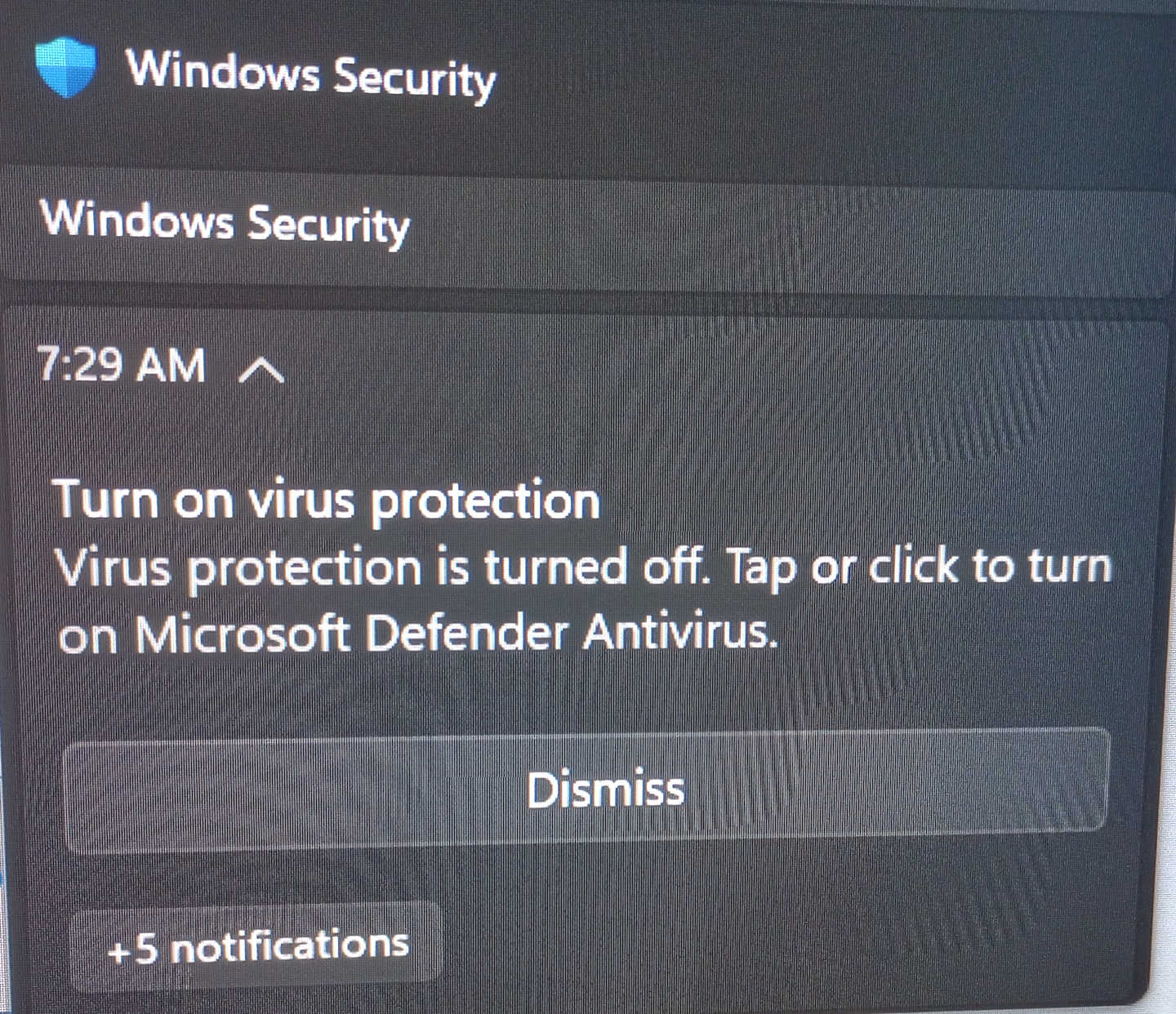
Windows Security Anti-virus program Notification glitch
Microsoft is aware of this false notification that the virus program is turned off. They are working on a fix. When you look in the bottom right & see the Happy green check mark on the Blue shield (see below) then you know all is well. If the virus program is off, then the icon will have a red X on it. For now, click on the Dismiss button to make it go away.
Effective Immediately The Kings Ridge Community will be Remote Only Visits. Wear and tear on my 17 year old Toyota and the high costs of gas has lead me to make this change. I will still be making home visits to the Royal Highlands and Trilogy communities.
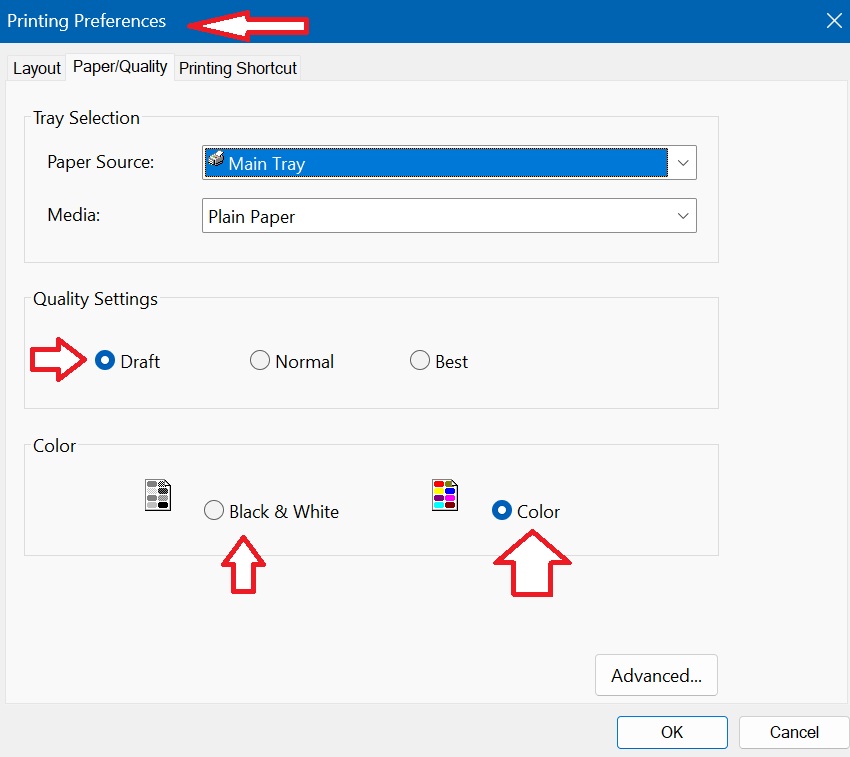
September 2026 Tip: If you purchased ink for your printer lately you know its getting very expensive. There is a simple change you can make on your computer to save you big bucks. Most printing programs are set to use Normal ink when printing. That looks great if you a printing photos to photo paper or other high quality printouts. But if you are just printing your food lists, medicine lists or articles from a website, you are wasting your money. Next time you print out something from your computer look for the option to print in draft mode.
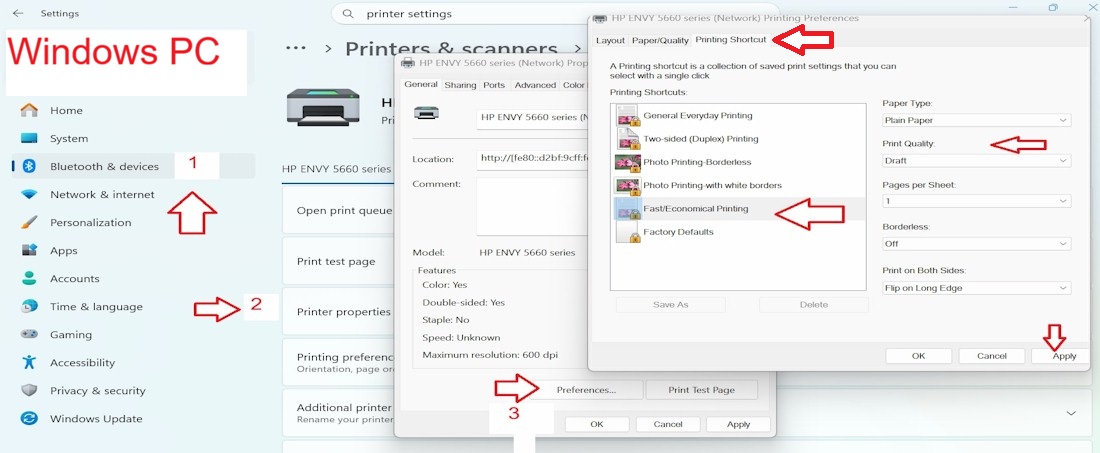
The photo above is from my printer, when I click on Printer Properties I am giving the option to print in Draft instead of Normal. You should be able to make this change on both Apple Mac Computers & Windows PC computers. Note that the next time you print, the printer will use your Default setting, which is the Normal, ink wasting setting. To change the printer to always use Draft, you must find the Default Printer settings.
My printer lets me change the default setting to Fast/Economical Printing. Clicking on Apply in this window makes it Default for my computer. So all future printing will be draft. If I want to print in a higher quality (photo) then I can just change the setting in the first window to Normal, then it will default back to Draft the next time. Please let me know if you have any questions about the cost saving tip. If there is an important message that I need to share with you, it will appear in the Important News Section of the newsletter above.
|
|
My Newsletter has a new format, its a continuous
newsletter. When I started to write this newsletter it was emailed to my
clients monthly. Then I got stopped by gmail for sending out bulk emails
so I decided to post on newsletter on my website instead of emailing it.
It was a great solution and a big time saver!
In time, my clients complained that I changed the newsletter too often so my monthly newsletter became a Quarterly newsletter that then changed to a twice a year format. Now, when I feel I need to share important information with my clients I will post the item right away. That means that my clients should check my newsletter on a regular basis for new articles. If you click on Newsletter Past Issues in the top left corner you can read some of my earlier newsletters. Enjoy! |
|
|
|
"Stop-The-Scam-Sticker" program. On recent home visits I have been taping these "stickers" that I created to all my clients computers. This is the one that I created for Windows PC computers:
This is the one that I created for Apple Mac Computers:
For remote Windows PC clients, I am emailing the stickers with the invoice to cut out and tape to computers. In my estimate, about 30% of websites in search engines online contain this bad link which turns off your mouse and tries to trick you into calling the phone number on the screen. They get onto your computer, and into your bank accounts, and then the trouble really begins. Never call the number on the screen! Always call me for help.
|
|
All websites will start pushing you to create a Passkey. It is a log in method that is more secure then just using a password, but its tricky to use. I started a remote session recently using Quick Assist and QA tried to force me to create a Passkey, I clicked on cancel and it let me use my saved password instead. If you are a victim if a stolen identity, then a passkey would prevent the attacker from gaining access to your email, bank accounts, etc.
Another client got locked out of her email, she created a passkey then forgot she did it. To unlock her email we had to use the camera on her smart phone to scan a QR code on the aol email log in screen. It worked and unlocked her email, but she did not want to do that process every time she checks her email. So I went into her aol security settings and removed the passkey. Now she is back to using the saved password in her browser to check email. I still recommend a password book (old fashion address book with A, B, C tabs) to write down your passwords. If you switch over to passkeys then get a new smart phone, there is a chance you may get locked out of all your accounts if the passkey does not recognize the new phone. Sounds like a nightmare to me, time will tell.
|
|
|
|
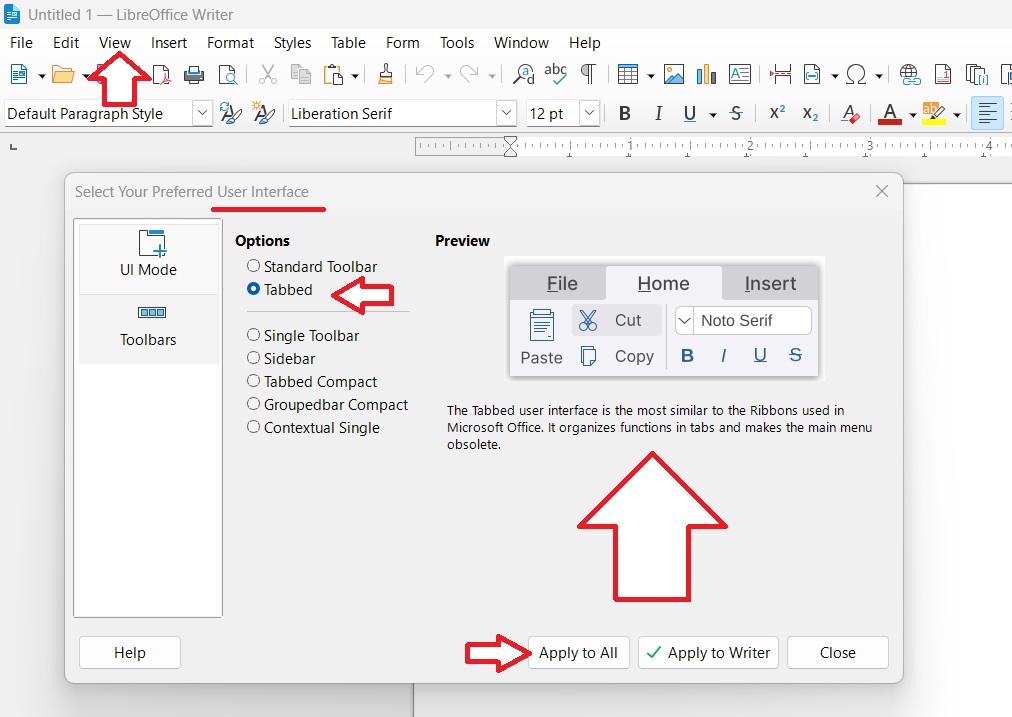
LibreOffice now allows you to change the top toolbar to a Microsoft Office type Ribbon. If you are not happy with the current menu style you can make this change. Click on View menu then click on User Interface then the picture below will appear. Click on Tabbed then click on Apply to All button to save your changes. Then you will see LibreOffice change instantly. You can come back to this window to change back at any time.
This is what the Tabbed View looks like:
|
|
Windows News and
Tips
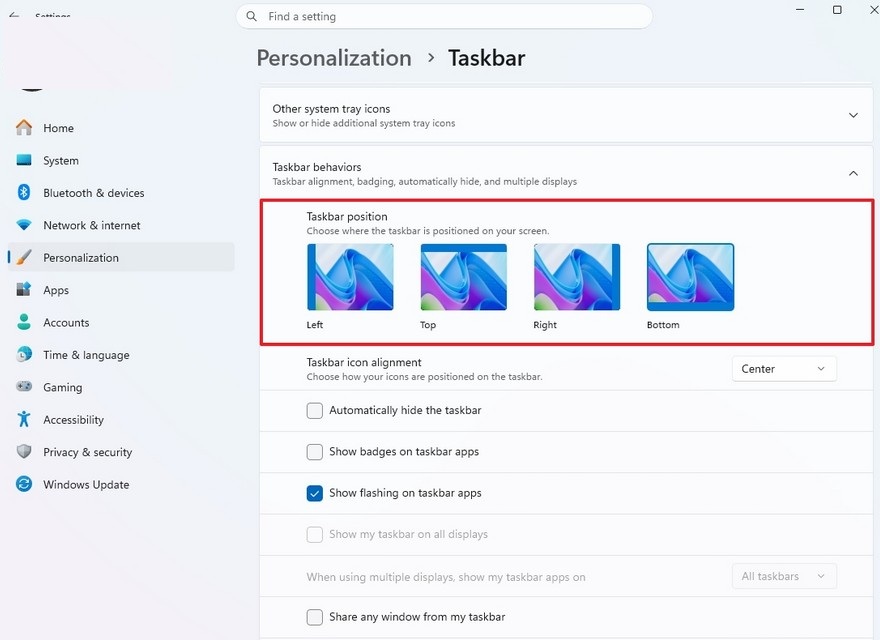
October 2026 Microsoft will be upgrading your Windows 11 computer(s) to the latest Feature Update - 26H2 in October 2026. Until then Microsoft is releasing two to three security updates each month. One of these monthly updates includes a feature that was removed when they first released Windows 11 back in October 2020. Moving the Taskbar! I prefer it on the bottom, but many users prefer it on top, some like it on the left or right side of the screen. As you can see from the picture below, we will soon have this option at our fingertips.
|
|
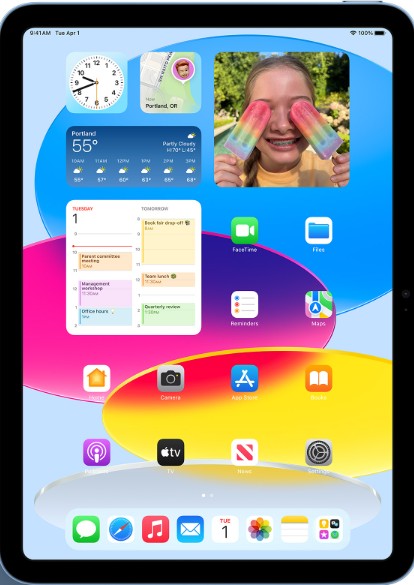
Fall 2026 Apple will be releasing two new devices that may eventually lead to Apple killing off the iPad. One will be a foldable iPhone and the other will be a Macbook with a touch screen.
9To5Mac website has an interesting article related to this topic. Click here to read this it.
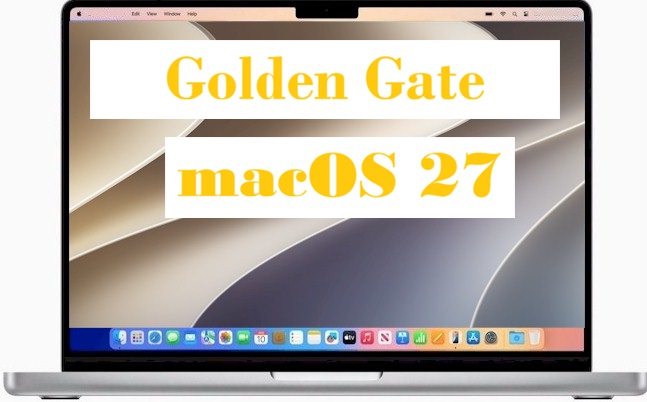
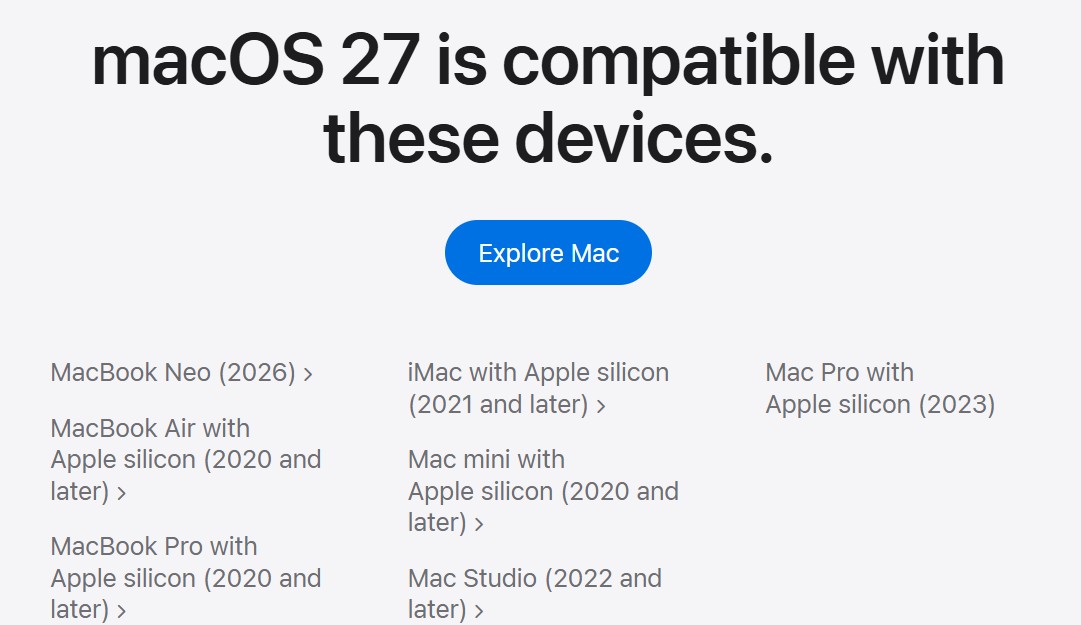
macOS 27 Golden Gate Coming Soon...
Click here for more information - https://www.apple.com/os/macos/.
Please note that I have stopped offering Maintenance home visits on Apple Computers running OS 14 or earlier.
|
|
The End
Click on the NO or Cancel Button - Reminder!
Please click the "NO" button on the PC, and the "Cancel" button on the Apple/Mac to stay safe. It is safe to click on the "Yes" or "OK" button in the Admin Account (if you are doing your own maintenance). If you have any questions, please contact me. |
|
Click here to view previous issues Note: The content of this newsletter is intended for clients of Joe McDonald only. Not intended for public use.
|
| Website
Links: Computer Tips: https://www.computersbyjoe.com/Tips.html Backup: https://www.computersbyjoe.com/Backup.html |